
AI security cameras are no longer simple recording devices.
In 2026, they can identify people, vehicles, pets, packages, unusual movement, and sometimes even familiar faces. This makes them useful for homes, shops, offices, schools, warehouses, and smart cities.
At the same time, AI cameras raise an important question:
Are they protecting us, or are they watching us too closely? A smart camera can improve safety, but if it collects too much data, records private spaces, or stores footage without clear control, it can become a privacy risk.
This article explains what AI security cameras are, how they work, how many types of security cameras exist, where the invention started, which companies are leading this market, and what users should check before buying an AI camera system.
What Are AI Security Cameras?
AI security cameras are cameras that use artificial intelligence to understand video footage more intelligently. A normal CCTV camera records video, but an AI camera tries to analyze what is happening in that video.
For example, a normal camera may send an alert whenever a tree moves, a shadow changes, or a car light passes by. An AI camera can try to separate real activity from useless motion. It can detect whether the movement is caused by a person, pet, vehicle, package, or another object.
This is why AI cameras are becoming popular. They not only record events; they help users understand which events matter.
How AI Security Cameras Work
AI security cameras work through a combination of camera hardware, software, sensors, internet connection, storage, and intelligent video analysis.
First, the camera captures video through its lens. Then the system processes the video and looks for movement, objects, faces, or activity. If the AI model detects something important, it sends an alert to the user’s mobile app or monitoring system.
The basic process looks like this:
a. The camera records the scene.
b. The AI system analyzes the video.
c. It detects objects such as people, cars, pets, or packages.
d. It decides whether the event is important.
e. It sends a smart alert to the user.
f. The footage is saved locally, in the cloud, or both.
Some AI cameras depend on cloud processing, which means the video or data is sent to online servers for analysis. Other cameras use edge AI, where processing happens inside the camera or a local device. Edge AI can be better for privacy because less data needs to leave the user’s home or business.
How Many Types of Security Cameras Are There?
Security cameras come in many types. Each type has a different purpose, design, and use case. Before buying a camera, users should understand which type fits their location and security needs.
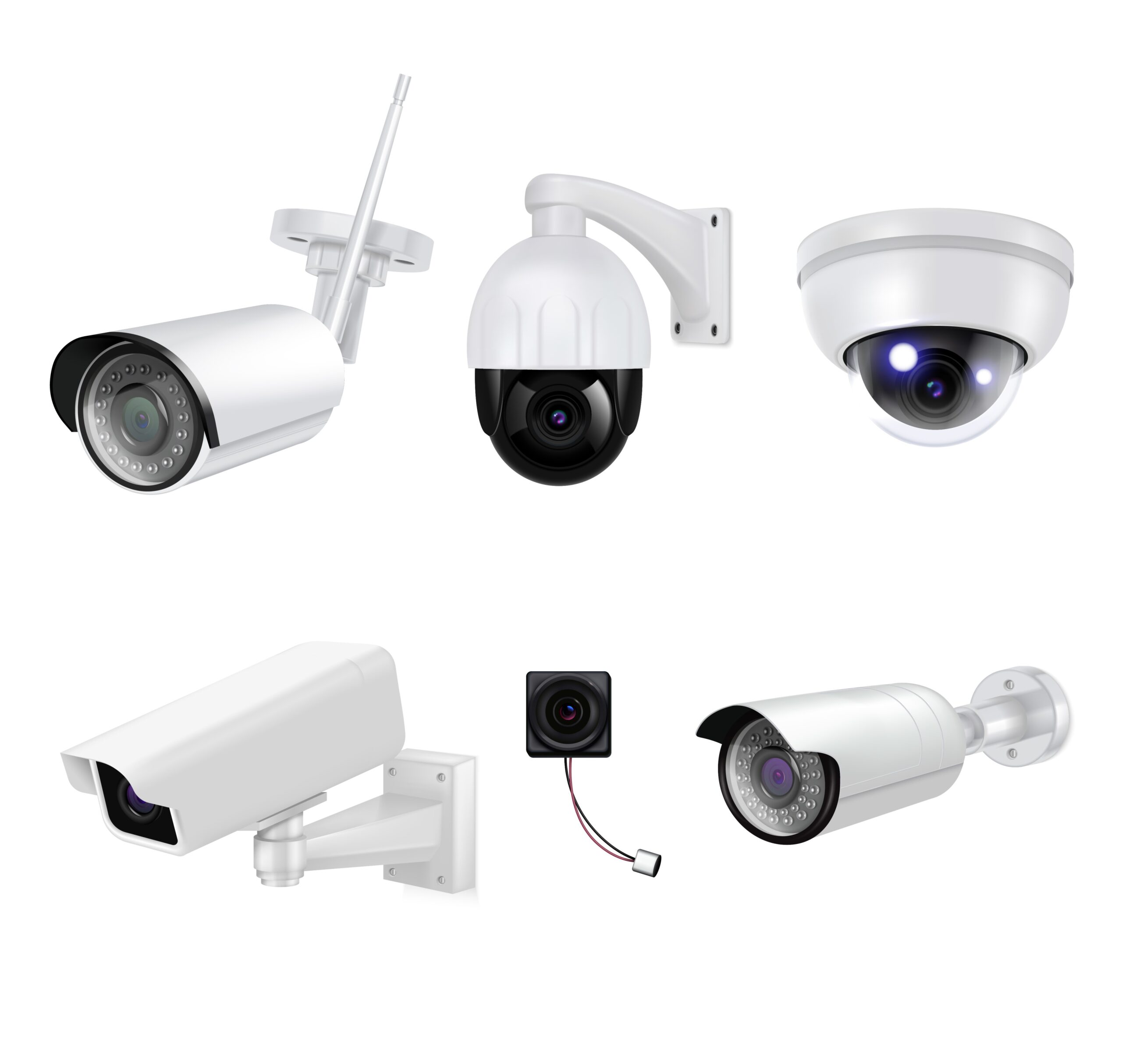
a. Dome Cameras
Dome cameras have a rounded dome shape. They are commonly used in shops, offices, schools, and indoor public spaces. Their design makes it difficult to know exactly which direction the camera is pointing.
Best for: indoor monitoring, shops, offices, schools, and reception areas.
b. Bullet Cameras
Bullet cameras have a long cylindrical shape. They are usually installed outdoors and are easy to notice. Their visible design can also discourage intruders.
Best for: gates, driveways, parking areas, walls, and outdoor security.
c. PTZ Cameras
PTZ stands for pan, tilt, and zoom. These cameras can move left and right, tilt up and down, and zoom in on objects. Many AI PTZ cameras can track moving people or vehicles automatically.
Best for: large buildings, warehouses, parking lots, public areas, and wide outdoor spaces.
d. IP Cameras
IP cameras connect through the internet or a local network. They can send video to mobile apps, cloud storage, or network video recorders. Most modern smart cameras are IP cameras.
Best for: homes, offices, remote monitoring, and smart security systems.
e. Wireless Cameras
Wireless cameras connect through Wi-Fi and are easier to install than wired systems. Some run on batteries, while others need power cables.
Best for: rented homes, apartments, small offices, and quick installation.
f. Wired Cameras
Wired cameras use cables for power and data. They are usually more stable than wireless cameras and are common in professional CCTV systems.
Best for: large homes, offices, shops, warehouses, and long-term installations.
g. Indoor Cameras
Indoor cameras are designed for rooms, halls, offices, nurseries, and living spaces. Some include privacy shields or privacy mode.
Best for: home monitoring, baby monitoring, pets, and office rooms.
h. Outdoor Cameras
Outdoor cameras are built to handle weather, dust, heat, rain, and night conditions. They often include night vision, sirens, lights, and motion detection.
Best for: front doors, backyards, garages, shops, and building entrances.
i. Doorbell Cameras
Doorbell cameras combine a doorbell with a video camera. They allow users to see and speak to visitors through a mobile app.
Best for: front doors, apartments, deliveries, and visitor monitoring.
j. Floodlight Cameras
Floodlight cameras include bright lights with a security camera. They can turn on when motion is detected and help record clearer night footage.
Best for: dark areas, garages, driveways, backyards, and shop entrances.
k. Thermal Cameras
Thermal cameras detect heat instead of normal visible light. They can be useful in darkness, fog, smoke, or industrial environments.
Best for: factories, warehouses, borders, high-security areas, and low-visibility locations.
l. AI Cameras
AI cameras can be dome, bullet, PTZ, indoor, outdoor, wired, or wireless. What makes them different is their ability to analyze video using artificial intelligence.
Best for: smart homes, businesses, advanced monitoring, and reducing false alerts.
What Is the Difference Between CCTV Cameras and AI Cameras?
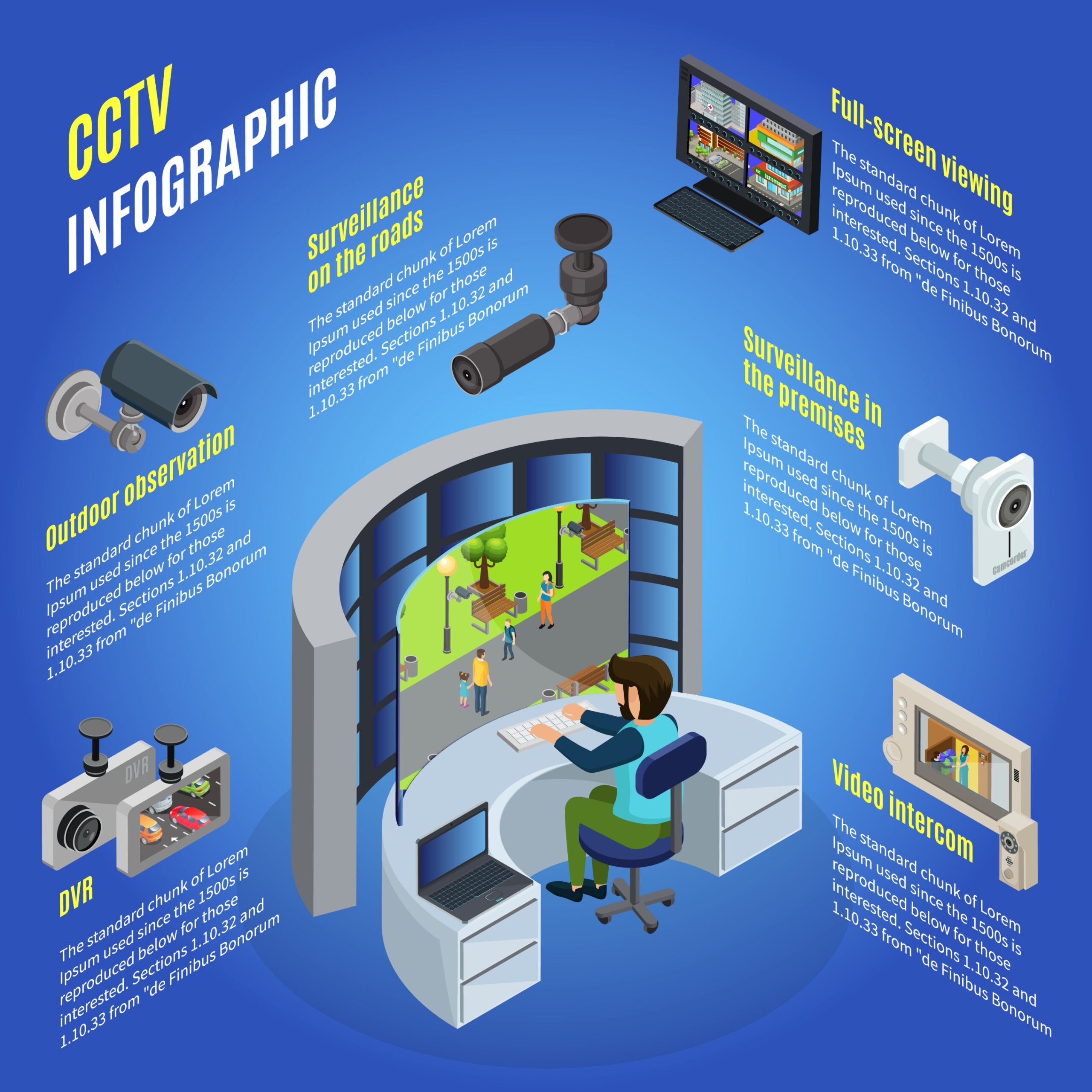
Traditional CCTV cameras mainly record video. They show what happened, but a person usually has to watch the footage to understand the event.
AI cameras go one step further. They try to understand the video automatically. They can identify people, vehicles, pets, packages, and unusual movement. This makes them more useful for real-time alerts.
A simple difference is this:
A CCTV camera records.
An AI camera records and analyzes.
This does not mean AI cameras are perfect. They can still make mistakes. They may detect the wrong object, miss an event, or send unnecessary alerts. However, they are more intelligent than old-style motion detection cameras.
Which Country Created the First Security Camera System?
The history of security cameras has two important points.
The first CCTV system is commonly linked to Germany. In 1942, a closed-circuit television system was used by Siemens in Germany to monitor V-2 rocket launches. This was not a home security camera. It was a technical monitoring system used for military and safety purposes.
The modern home security system is strongly linked to the United States. In 1966, Marie Van Brittan Brown, an African-American inventor from New York, designed a home security system with a camera, monitor, microphone, and remote door lock. Her invention later influenced modern home security and video doorbell systems.
So, if we talk about the first CCTV-style monitoring system, Germany is usually mentioned. If we talk about the modern home security system, the United States and Marie Van Brittan Brown are extremely important.
From Recording to Real-Time Detection
Old security cameras were passive. They recorded a video, but they did not understand it. A person had to watch the footage later.
AI security cameras are different because they try to detect events in real time. They can send alerts when a person enters a restricted area, a vehicle stops near a gate, a package is delivered, or unusual motion happens at night.
This real-time detection is useful because it saves time. Instead of watching hours of footage, users can jump directly to important events.
Examples of real-time AI detection include:
a. Person detection
b. Vehicle detection
c. Pet detection
d. Package detection
e. Face recognition
f. License plate recognition
g. Motion tracking
h. Line-crossing detection
i. Unusual activity alerts
j. Fire or smoke detection in some systems
This is the main reason AI cameras are becoming popular in smart homes and businesses.
Edge AI Cameras: A Better Option for Privacy?
One of the most important trends in AI security cameras is edge AI.
Edge AI means the camera or a local device processes data near the source instead of sending everything to the cloud. This can reduce delay, improve speed, and protect privacy better.
For example, if a camera can detect a person locally, it does not need to upload every video clip to a remote server. This can be helpful for users who worry about cloud storage, hacking, or data sharing.
Edge AI is especially useful for:
a. Homes that need privacy
b. Businesses with sensitive areas
c. Locations with weak internet
d. Users who prefer local storage
e. Systems that need fast alerts
Cloud AI can still be useful, especially for advanced search, backup, and multi-device access. But the best systems in the future will likely combine local processing with secure cloud options.
Privacy Risks of AI Security Cameras
AI cameras are useful, but they also bring privacy concerns. A camera that watches everything can easily become uncomfortable for family members, employees, visitors, neighbors, or domestic workers.
a. Facial Recognition Concerns
Facial recognition can identify people, but it also raises questions about consent, biometric data, storage, and misuse.
b. Cloud Storage Risks
If footage is stored in the cloud, users must trust the company’s security policies. Weak passwords, data breaches, or poor settings can expose private videos.
c. Constant Surveillance
When cameras are used without clear rules, people may feel they are always being watched. This can create stress and mistrust.
d. Data Sharing
Some apps may connect with third-party services. Users should check whether the camera company shares data with partners, advertisers, or law enforcement agencies.
e. Hacking Risk
Any internet-connected camera can become a target if it has weak security. Poor passwords, old firmware, and unsafe apps increase risk.
f. Recording Private Areas
Cameras should not be placed in bedrooms, bathrooms, changing areas, or other private spaces. Safety should never cross personal boundaries.
The most important debate around AI security cameras is the balance.
A responsible AI camera system should follow three simple rules:
a. It should protect safety.
b. It should respect privacy.
c. It should give users control.
The best security system is not the one that watches the most. It is the one that protects what matters without invading personal space.
Best AI Security Camera Companies and Their Features
There are many companies in the security camera market. Some focus on home users, while others focus on enterprise, business, and government-level surveillance.
a. Hikvision
Hikvision is one of the largest security camera companies in the world. It offers CCTV, IP cameras, AI analytics, thermal cameras, PTZ cameras, and large-scale surveillance systems.
Common features include high-resolution video, night vision, motion detection, AI analytics, and scalable security systems.
b. Dahua
Dahua is another major global security camera brand. It offers smart cameras, AI video analytics, face detection, vehicle detection, thermal cameras, and NVR systems.
It is commonly used in homes, businesses, shops, and larger surveillance projects.
c. Axis Communications
Axis is known for professional network cameras and enterprise video surveillance. It focuses on IP cameras, analytics, cybersecurity, and high-quality video systems.
Axis is strong for businesses, cities, transport, banking, education, and professional security environments.
d. Bosch Security Systems
Bosch offers professional security cameras, video analytics, access control, and building security solutions. Bosch cameras are often used in business and industrial environments.
Their systems focus on reliability, intelligent analytics, and professional-grade monitoring.
e. Hanwha Vision
Hanwha Vision provides IP cameras, video management systems, and AI-powered analytics. It focuses on edge-based analytics, business intelligence, people counting, heat mapping, and real-time dashboards.
It is useful for organizations that want both security and operational insights.
f. Avigilon
Avigilon, part of Motorola Solutions, offers video security cameras, analytics, access control, and high-resolution surveillance systems.
Its systems are often used in enterprise environments where smart detection and video search are important.
g. Arlo
Arlo is popular for smart home security cameras, wireless cameras, floodlight cameras, video doorbells, and app-based monitoring.
It is a good option for home users who want easy installation and smart alerts.
h. Ring
Ring is well-known for video doorbells and smart home security cameras. It offers motion alerts, smart alerts, package detection on selected devices, and app-based monitoring.
It is useful for front doors, deliveries, and home entry monitoring.
i. Google Nest
Google Nest cameras are designed for smart homes. They integrate well with Google Home and offer intelligent alerts, familiar face detection on supported plans, and mobile app control.
They are suitable for users already using Google smart home products.
j. Eufy
Eufy offers smart home security cameras with a strong focus on local storage options in many products. It is popular among users who want smart detection without relying completely on cloud storage.
Common features include person detection, pet detection, vehicle detection, package detection, and app alerts, depending on the model.
k. Reolink
Reolink offers affordable home and business security cameras, including wired, wireless, PoE, PTZ, and solar-powered models. It is known for local storage options and subscription-free features in many products.
Reolink is useful for users who want practical security cameras with flexible storage.
l. TP-Link Tapo
TP-Link Tapo offers budget-friendly smart cameras for homes. Many models include motion detection, person detection, night vision, two-way audio, and app control.
Tapo is suitable for beginner users and small homes.
What Features Should You Check Before Buying an AI Security Camera?
Before buying an AI security camera, do not only check the price or brand name. Check the features that affect privacy, safety, and long-term use.
a. Local Storage
Check whether the camera supports microSD card, NVR, or local hub storage. Local storage can reduce cloud dependence.
b. Cloud Storage
If the camera uses cloud storage, check subscription cost, video retention, encryption, and privacy policy.
c. AI Detection
Look for person, vehicle, pet, package, face, or unusual activity detection depending on your needs.
d. Night Vision
A good camera should work in low light. Check whether it has infrared night vision, color night vision, or floodlight support.
e. Two-Way Audio
Two-way audio lets users speak through the camera. This is useful for visitors, deliveries, or warnings.
f. Weather Resistance
Outdoor cameras should be weather-resistant. Check the IP rating if the camera will face rain, dust, or heat.
g. Field of View
A wider field of view covers more area. PTZ cameras are better for large spaces.
h. App Quality
A camera is only useful if the app is reliable. Check whether the app gives fast alerts, easy playback, and privacy controls.
i. Encryption
Encryption protects livestreams, saved videos, and account data. This is important for security.
j. Two-Factor Authentication
Two-factor authentication adds another layer of protection to your account.
k. Privacy Zones
Privacy zones allow users to block areas from recording, such as a neighbor’s window or a private corner.
l. Subscription Cost
Some AI features require a monthly subscription. Check this before buying.
Final Thoughts
AI security cameras in 2026 are powerful tools. They can identify people, vehicles, pets, packages, and unusual movement. They can help homeowners, businesses, schools, and cities respond faster to security events.
A camera can protect your home, but only if the camera itself is secure.
Technology can create privacy problems if it is used without limits. This is why every buyer should ask a simple question before installing an AI camera:
Is this camera only making me safer, or is it also collecting more data than I need?
The smartest choice is to use AI cameras for protection, not unnecessary surveillance. Security is important, but privacy matters too.